Framer is valued at $2B. Its homepage is a working demo of the product.
How Framer turns its homepage into the editor itself: a headline that picks its audience, an agent working on a real site, and a three-step story that answers the biggest objection to AI site builders.
Teardown Nº 02 · Published 23 November 2026 · Updated 24 November 2026
1The milestone
Where Framer is right now
Framer is a website builder used by designers, startups and agencies. Its homepage now positions it around a design agent that builds and edits sites on a canvas you keep full control of.
- On 28 August 2025 Framer announced a $100M Series D at a $2B valuation, led by Meritech and Atomico. Source: Business Wire
2Design moves that work
4 things the Framer site does well
- 01
Homepage
The headline picks its audience
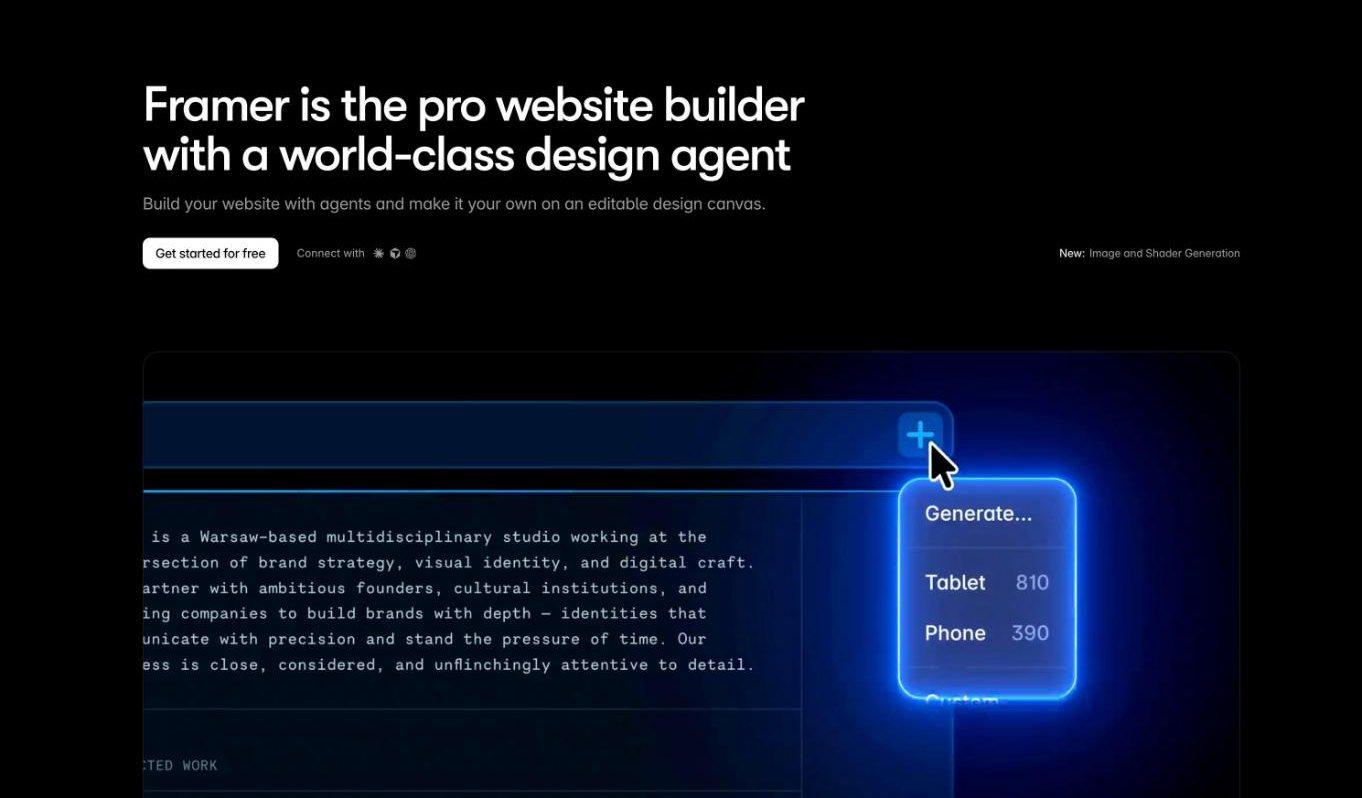
“Framer is the pro website builder with a world-class design agent.” The word “pro” filters for people who care about craft, and the agent covers the AI story in the same sentence. Everyone else can self-select out.
- 1“Pro” sets the audience
- 2A free start, plus a way in for AI tools
- 02
Homepage
A working editor as the hero
Below the headline, a 36-second video shows the agent building a site and generating tablet and phone layouts. Just under it sits the editor itself: pages, layers and an agent panel that has just added an image ticker to a studio's homepage, with the change listed so it can be undone. It's a demo you take in at a glance.
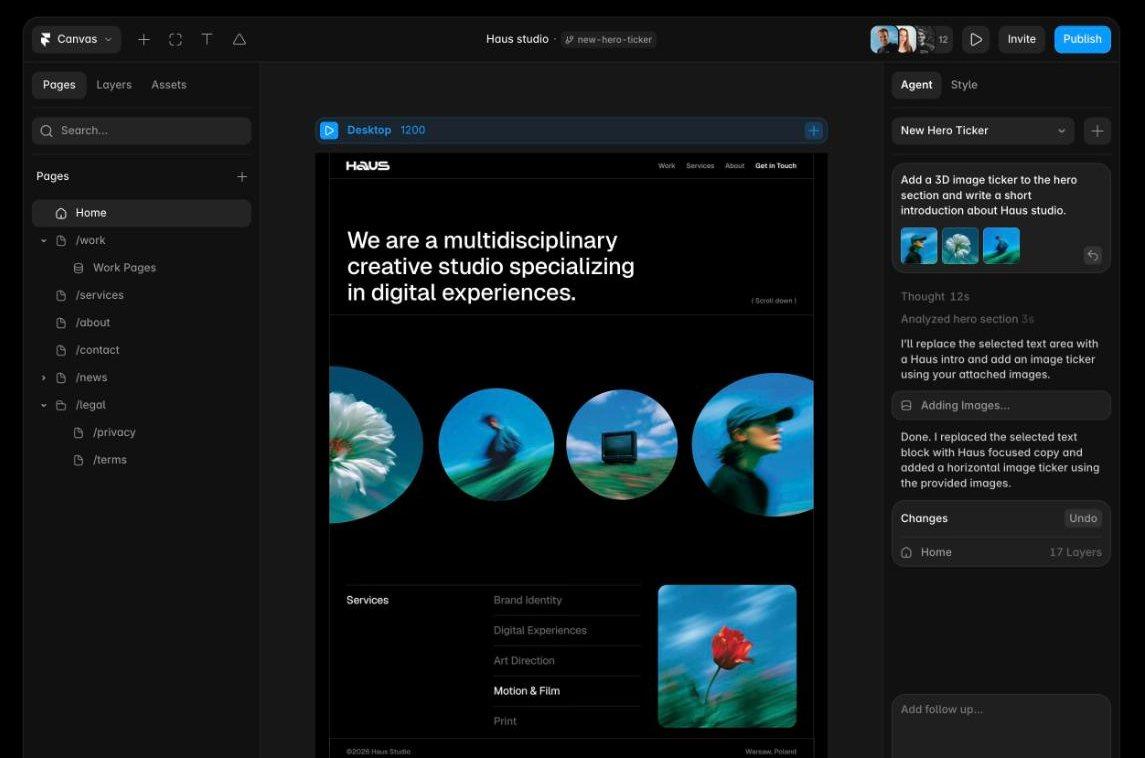
- 1Real site structure in the sidebar
- 2The result, live on the canvas
- 3The agent explaining what it changed
- 03
Homepage
Three steps that answer the objection
Start with the agent, refine on the canvas, publish instantly. The middle step, “Everything stays editable”, answers the fear that an AI builder will box you in, and the last one lists hosting, CMS, analytics, SEO and AEO as included.

- 1“Everything stays editable” answers the AI worry
- 04
Homepage
A second path for technical buyers
Next to “Get started for free” sits “Connect with”, followed by the logos of AI tools. A later section, “Connect your AI with MCP”, shows Claude, Cursor and Codex in a terminal importing 47 blog posts into a Framer project. Developers get their own way in without slowing down everyone else.
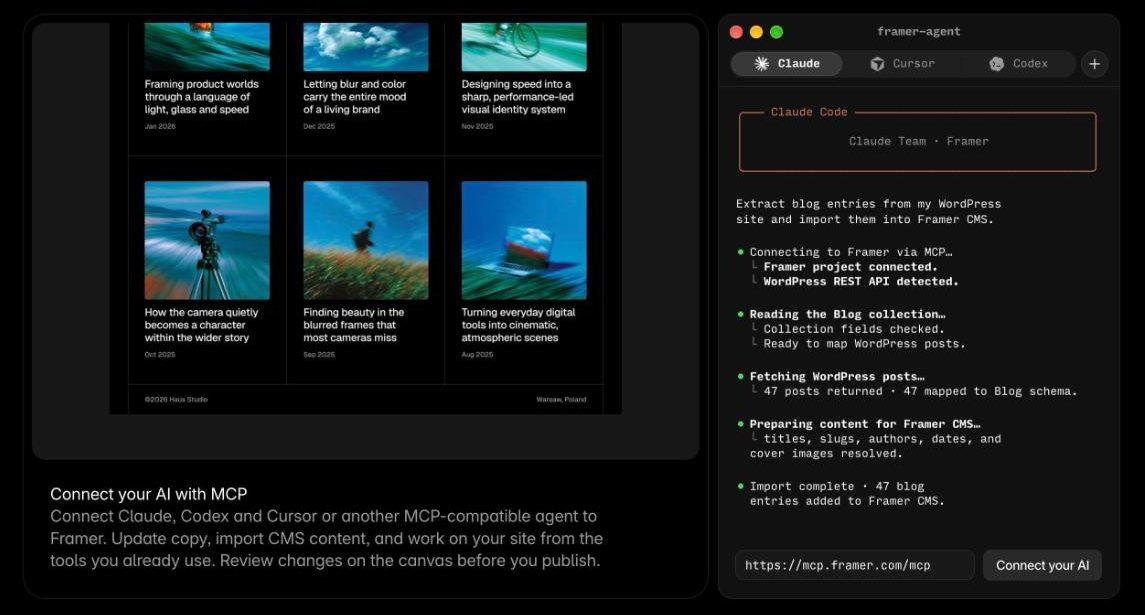
- 1The tools developers already use, by name
- 2A real task, shown step by step
3Scanability benchmark
How the homepage reads at a glance
Three focal points: the headline, the buttons and the editor video. The only drag is the fine detail inside the editor, which a skimming visitor can't read yet. We ran the first screen, at 1,362 by 868 pixels, through our free 5-second test on 23 November 2026.
4On a phone
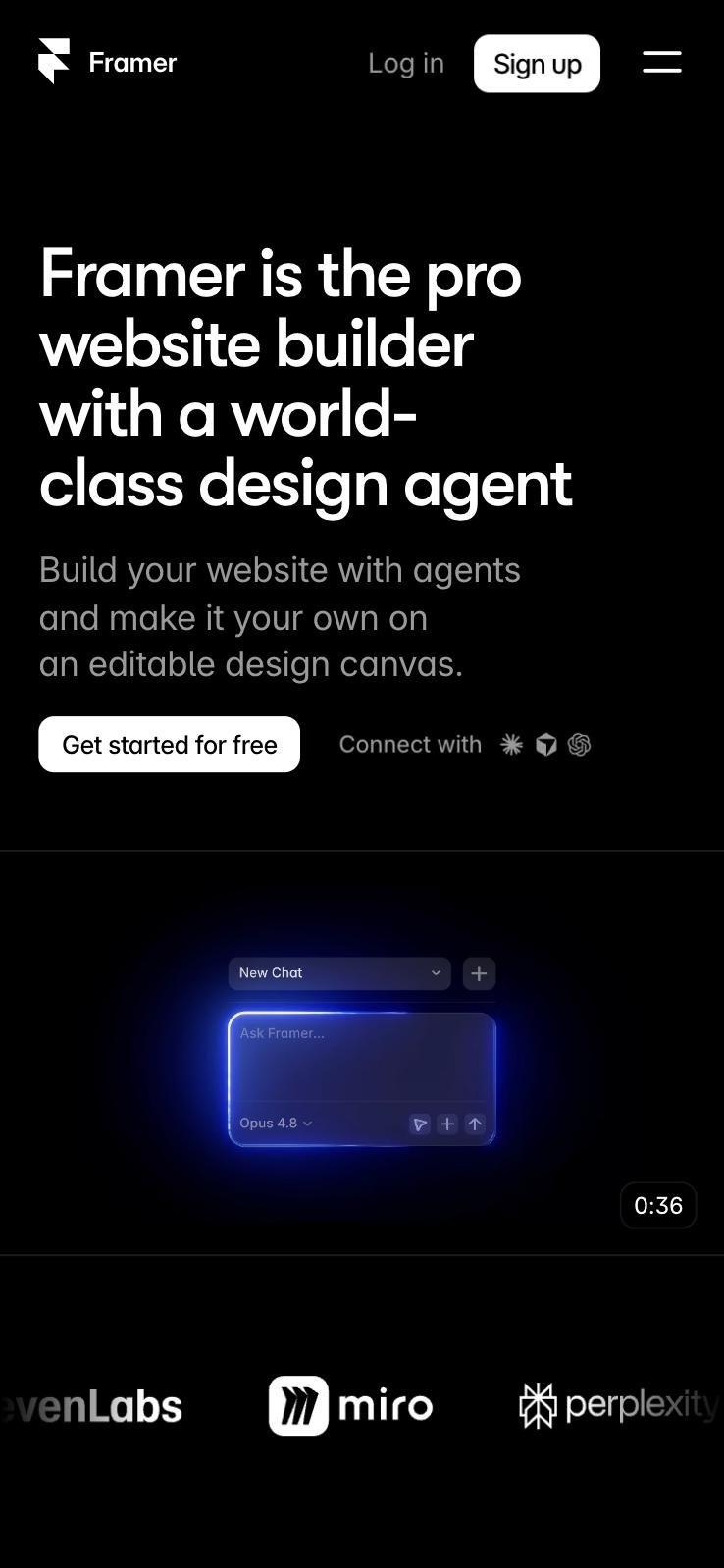
The first screen on mobile
Headline, subhead and the Get started button all fit, with the editor video starting underneath. The phone layout keeps everything that matters from the desktop hero. First screen at 375 by 812 pixels, tested on 24 November 2026.
5The takeaway for founders
What to borrow for your own site
- Name who it's for in the headline, even if it means turning some visitors away.
- Let your hero be a live view of the product completing one task.
- Use your “how it works” steps to answer the biggest objection, not just to list features.
- If developers influence the decision, give them their own next step.
Send us your page or deck. We'll come back with a scoped redesign and a fixed quote within 48 hours.
dgitl isn't affiliated with Framer. Screenshots are used for commentary and belong to their owners. Figures are from the public sources linked above.